
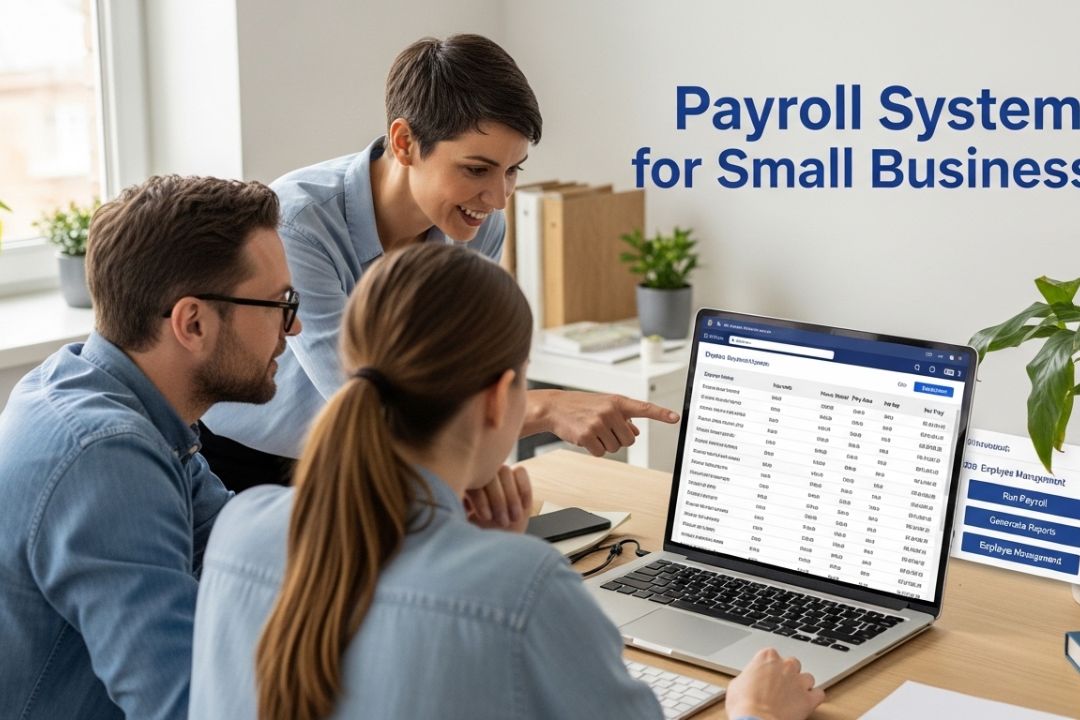
Introduction: Why Payroll Matters More Than You Think
Running a small business comes with a never-ending list of responsibilities. You manage customers, inventory, marketing, and cash flow — all at the same time. But one area that often causes the most stress, and the most costly mistakes, is payroll.
Getting payroll wrong is not just an inconvenience. According to the IRS, approximately 40% of small businesses pay an average penalty of $845 per year for payroll errors. Missing a tax deadline, miscalculating overtime, or forgetting to file the right forms can cost you money, damage employee trust, and even invite audits.
This is exactly why investing in a reliable payroll system for small business is one of the smartest decisions an owner can make. A good payroll system does far more than cut checks — it automates tax calculations, tracks employee hours, handles deductions, and keeps your business legally compliant.
In this guide, you will discover everything you need to know about choosing and using a payroll system for small business. We cover the core features to look for, the real benefits of automation, a comparison of the top platforms available today, and tips to help you pick the right solution for your specific needs. Whether you have two employees or two hundred, this article will help you make a confident, informed decision.
What Is a Payroll System for Small Business?
A payroll system for small business is software or a service that handles the entire process of paying employees. It calculates wages, applies deductions such as taxes and benefits, processes payments, and generates the reports required by law.
In the past, small business owners relied on spreadsheets or manual calculations. Today, modern payroll platforms do all of this automatically, saving hours each pay period and dramatically reducing the chance of human error.
At its core, a payroll system for small business typically handles:
- Employee wage and salary calculations
- Federal, state, and local tax withholding
- Social Security and Medicare contributions
- Paid time off (PTO) and sick leave tracking
- Direct deposit and payment processing
- Year-end tax forms such as W-2s and 1099s
- Benefits deductions including health insurance and retirement plans
Some platforms also include HR features, time tracking, employee self-service portals, and integration with accounting software. The best systems are scalable, meaning they grow with your business as you hire more staff.
Why Small Businesses Need a Dedicated Payroll Solution
Many new business owners start out managing payroll manually or relying on their accountant to handle it once a month. While this might work early on, it quickly becomes unsustainable as the business grows.
Here are the top reasons why every small business needs a dedicated payroll solution:
1. Compliance Is Getting More Complex
Tax laws change every year. Minimum wage rates differ by state and even by city. Benefits regulations evolve. Staying current with all of these rules on your own is nearly impossible. A payroll system for small business automatically updates to reflect current tax tables and legal requirements, so you are always in compliance without having to think about it.
2. Manual Payroll Is a Time Drain
The American Payroll Association found that businesses spend an average of five hours per pay period managing payroll manually. For a business running bi-weekly payroll, that is over 130 hours per year — time that could be spent serving customers, growing the business, or simply resting.
3. Errors Are Expensive
One small mistake in a paycheck can create a cascade of problems: angry employees, corrected filings, penalty fees, and even lawsuits. Automated payroll systems reduce error rates by handling calculations precisely every single time.
4. Employee Expectations Have Changed
Today’s workers expect on-time payments, easy access to pay stubs, and transparency about their deductions. A modern payroll system for small business includes employee self-service portals where staff can view their payment history, update direct deposit details, and download their own tax documents.
5. Audits and Record-Keeping
Good payroll software automatically stores detailed records of every transaction, tax filing, and employee payment. If you are ever audited, having clean and complete records is essential. Manual systems simply cannot match this level of organization.
Key Features to Look for in a Payroll System for Small Business
Not all payroll software is created equal. When evaluating your options, focus on these essential features:
Automated Tax Calculations and Filing
This is the single most important feature. Your payroll system should automatically calculate federal, state, and local taxes for every employee, withhold the right amounts, and file the required forms on your behalf. Look for platforms that offer tax penalty guarantees — meaning they will cover any fines if their system makes an error.
Direct Deposit
Direct deposit is no longer optional. Employees expect it, and most payroll systems offer it as a standard feature. Check how quickly funds are transferred — some systems offer next-day or same-day direct deposit, while others require two to four business days.
Employee Self-Service Portal
A self-service portal reduces the administrative burden on you and your HR team. Employees can log in to view their pay stubs, check PTO balances, update personal information, and download W-2s without needing to contact anyone. This feature alone saves hours of back-and-forth communication every month.
Time and Attendance Tracking
Some payroll systems include built-in time tracking tools, while others integrate with third-party time clock apps. If your business has hourly workers, this feature is critical. It ensures that hours are recorded accurately and automatically transferred to payroll, eliminating manual data entry.
Integration with Accounting Software
Your payroll system should sync seamlessly with your accounting software — whether that is QuickBooks, Xero, FreshBooks, or another platform. This prevents double-entry of data and keeps your financial records perfectly aligned.
Scalability
Start with a payroll system that can grow with you. If you plan to hire more employees, open additional locations, or add contractors, make sure the platform can handle those changes without requiring you to switch systems.
Mobile Access
Business does not happen only at a desk. Look for payroll systems that offer mobile apps or mobile-optimized websites, so you can run payroll, approve timesheets, or check reports from your phone or tablet.
Customer Support
Payroll problems do not follow a schedule. Look for a provider that offers live phone support, chat, and email assistance — ideally available seven days a week. Reading user reviews about customer service quality is especially important before making a decision.
Top Payroll Systems for Small Business in 2024–2025
With dozens of payroll platforms available, choosing the right one can feel overwhelming. Here is an honest breakdown of the most popular options for small businesses today:
1. Gusto
Gusto is widely considered the gold standard for small business payroll. It offers a clean, user-friendly interface and handles federal, state, and local taxes automatically. Gusto also includes benefits administration, time tracking, and HR tools all in one platform.
- Best for: Businesses with 1 to 100 employees
- Starting price: Approximately $46 per month plus $6 per employee
- Standout feature: Automated new-hire reporting and onboarding
- Downside: Higher cost than some competitors for larger teams
2. ADP Run
ADP is one of the oldest and most trusted names in payroll. And Run is their small business offering, designed for companies with up to 49 employees. It provides strong compliance support and an extensive network of HR advisors.
- Best for: Businesses wanting established, enterprise-grade reliability
- Starting price: Custom pricing — contact ADP for a quote
- Standout feature: Access to certified HR advisors
- Downside: Pricing is not transparent; contracts can be complex
3. QuickBooks Payroll
If you already use QuickBooks for accounting, their payroll add-on is a natural fit. QuickBooks Payroll integrates directly with your books, making it easy to categorize payroll expenses and generate reports. It offers same-day direct deposit on higher-tier plans.
- Best for: Businesses already using QuickBooks accounting
- Starting price: Approximately $45 per month plus $5 per employee
- Standout feature: Real-time sync with QuickBooks accounting
- Downside: Best value only for existing QuickBooks users
4. Paychex Flex
Paychex Flex is a scalable payroll platform with strong compliance tools and a large network of local payroll specialists. It is well-suited for businesses that are growing fast and need both payroll and HR support.
- Best for: Growing businesses with complex needs
- Starting price: Custom pricing
- Standout feature: Dedicated local payroll specialist
- Downside: Interface can feel dated compared to newer platforms
5. Patriot Payroll
Patriot Payroll is an excellent budget-friendly option for very small businesses and startups. It offers basic payroll processing at a fraction of the cost of competitors, though it has fewer built-in HR features.
- Best for: Micro-businesses and startups on a tight budget
- Starting price: Approximately $17 per month plus $4 per employee
- Standout feature: Affordable pricing with free setup and support
- Downside: Limited HR features and integrations
6. Wave Payroll
Wave offers free accounting software and a paid payroll add-on. For businesses already using Wave for invoicing and bookkeeping, Wave Payroll is a logical and affordable option. Note that tax filing services are only available in certain states.
- Best for: Freelancers and very small businesses using Wave accounting
- Starting price: Approximately $20 per month plus $6 per employee (tax service states)
- Standout feature: Tight integration with free Wave accounting tools
- Downside: Limited state availability for automated tax filing
Real-Life Example: How a Small Restaurant Used Payroll Software to Save Time and Money
Maria runs a 12-person restaurant in Austin, Texas. Before switching to payroll software, she spent every other Friday afternoon manually calculating hours, tips, and overtime for her hourly staff. She also had to manually file quarterly payroll taxes, a task she often put off until the last minute.
In 2023, Maria switched to Gusto. Within the first month, she noticed a dramatic change. Payroll that used to take four hours now took less than thirty minutes. Tax filings happened automatically. Her employees received notifications the moment paychecks were deposited and could download their pay stubs through the app.
By the end of the year, Maria had saved an estimated 60 hours of administrative time. She also avoided a potential $1,200 penalty for a late quarterly tax deposit that had tripped her up the year before. The cost of the payroll system for small business was less than $100 per month — a clear return on investment.
Maria’s story is not unique. Across the country, small business owners who make the switch to automated payroll consistently report saving time, reducing stress, and avoiding costly mistakes.
Common Payroll Mistakes Small Businesses Make — and How Software Prevents Them
Even well-intentioned business owners can fall into these common payroll traps. Understanding them helps you see why a payroll system for small business is so valuable.
Misclassifying Employees as Independent Contractors
Classifying a worker as a contractor when they should be an employee is one of the most common and costly payroll errors. It can result in back taxes, penalties, and lawsuits. Good payroll software guides you through proper classification during the onboarding process.
Missing Tax Deadlines
The IRS requires payroll taxes to be deposited on a schedule — either monthly or semi-weekly, depending on your payroll size. Missing these deadlines triggers automatic penalties starting at 2% and rising sharply from there. Automated payroll systems handle deposits and filings on schedule without any action required from you.
Incorrect Overtime Calculations
Federal law requires overtime pay — 1.5 times the regular rate — for non-exempt employees who work more than 40 hours in a week. Some states have daily overtime rules as well. Manual calculations often get this wrong. Payroll software applies the correct overtime rules automatically based on your employees’ locations and classifications.
Not Keeping Proper Records
The IRS requires employers to keep payroll records for at least four years. Many small businesses fail to maintain organized records, making audits extremely stressful. Cloud-based payroll systems store all records securely and make them easily searchable.
Failing to Account for New Hire Requirements
Every new employee comes with paperwork requirements: W-4 forms, I-9 verification, state new-hire reporting, and more. Missing any of these can create compliance problems. Modern payroll systems include guided onboarding workflows that ensure all required steps are completed.
How to Choose the Right Payroll System for Your Small Business
With so many options available, finding the right payroll system for your small business comes down to answering a few key questions:
- How many employees do you have, and how many do you expect to hire in the next two years?
- Do you have hourly workers, salaried employees, or a mix of both?
- Do you need built-in time tracking, or do you already use a separate time clock system?
- What accounting software do you currently use, and does the payroll system integrate with it?
- Do you need benefits administration, or just basic payroll processing?
- What is your monthly budget for payroll software?
- How important is customer support and ease of use to you?
Once you have answered these questions, compare two or three platforms that match your profile. Most payroll providers offer free trials or demos — take advantage of these before committing. Pay close attention to pricing tiers, because some platforms charge significantly more as your team grows.
Also read user reviews on platforms like G2, Capterra, and Trustpilot. Real user experiences can reveal issues that marketing pages never mention, such as hidden fees, slow customer service, or features that do not work as advertised.
The Role of Payroll Software in Employee Satisfaction
Many small business owners focus on payroll software strictly as a compliance tool, but its impact on employee satisfaction is just as significant. Research from the American Payroll Association shows that 93% of employees prefer to receive their wages via direct deposit, and 62% would consider leaving a job if they experienced frequent payroll errors.
A modern payroll system for small business ensures that:
- Paychecks are delivered on time, every time
- Pay stubs are accurate and easy to understand
- Employees can access their payment history 24/7 through a self-service portal
- Year-end tax documents are distributed on schedule
- PTO and sick leave balances are clearly visible
When employees trust that they will be paid correctly and on time, morale improves, turnover decreases, and your reputation as an employer grows. In today’s competitive labor market, reliable payroll is a meaningful part of the employee experience.
Payroll System for Small Business: Cloud-Based vs. Traditional Software
When evaluating payroll solutions, you will encounter two main categories: cloud-based systems and traditional (on-premise) software. Here is a quick comparison:
Cloud-Based Payroll Systems
- Accessible from any device with internet access
- Automatic updates for tax law changes — no manual patches
- Lower upfront cost — typically subscription-based
- Data backed up automatically and stored securely offsite
- Scalable without purchasing additional software licenses
Examples: Gusto, QuickBooks Payroll, ADP Run, Paychex Flex
Traditional/On-Premise Software
- One-time purchase cost (though updates often require additional fees)
- Data stored locally — some businesses prefer this for privacy reasons
- May require IT support to install and maintain
- Less flexible — access typically limited to office computers
- Manual updates required when tax laws change
For the vast majority of small businesses today, cloud-based payroll systems are the better choice. They are easier to use, more affordable over time, and much better at keeping up with compliance requirements. Unless your business has very specific data-security policies that require local storage, a cloud-based payroll system for small business is the recommended path.
Cost of Payroll Systems for Small Business: What to Expect
Cost is always a concern for small businesses. Here is a realistic look at what you can expect to pay for different levels of payroll service:
DIY Payroll Software (Basic Plans)
Cost: $15 to $30 per month plus $4 to $6 per employee per month. These plans cover basic payroll processing and direct deposit. Tax filings may be extra. Best for businesses with very simple payroll needs and a willingness to handle some tasks manually.
Full-Service Payroll Software
Cost: $40 to $80 per month plus $5 to $12 per employee per month. Full-service plans include automated tax filing, year-end forms, compliance alerts, and usually a self-service employee portal. This is the sweet spot for most small businesses.
Premium Payroll with HR Tools
Cost: $80 to $150 per month plus $10 to $20 per employee per month. Premium plans add benefits administration, hiring tools, performance management, and dedicated HR support. Best for businesses with 20 or more employees or those planning rapid growth.
When evaluating cost, always look beyond the base subscription. Ask about fees for additional pay runs, year-end forms, direct deposit, new-hire reporting, and customer support. Some platforms advertise low starting prices but quickly become expensive once you factor in all the add-ons.
Keep in mind: the cost of payroll software is almost always less than the cost of payroll errors, penalties, and the time you would otherwise spend managing payroll manually. Think of it as an investment, not an expense.
Getting Started: How to Set Up a Payroll System for Your Small Business
If you are ready to implement a payroll system for small business, here is a step-by-step overview of the setup process:
- Obtain your Employer Identification Number (EIN) from the IRS if you do not already have one.
- Gather employee information: legal names, addresses, Social Security numbers, and completed W-4 forms.
- Determine your pay schedule: weekly, bi-weekly, semi-monthly, or monthly.
- Classify your workers correctly as employees or independent contractors.
- Choose your payroll software and create your account.
- Enter your company information including your EIN, state tax IDs, and banking details for direct deposit.
- Add each employee’s information and set their pay rates, deductions, and any benefits.
- Run a test payroll before going live to verify everything is set up correctly.
- Run your first live payroll and confirm that deposits are made on time.
- Set reminders for quarterly and annual tax filings, or verify that your system handles these automatically.
Most cloud-based payroll systems are designed to be set up in under two hours, even for users with no prior payroll experience. Many providers also offer dedicated onboarding support to walk you through the process.
The Future of Payroll for Small Businesses
Payroll technology is evolving rapidly. Here are some trends shaping the future of the payroll system for small business:
Earned Wage Access (EWA)
Also known as on-demand pay, earned wage access allows employees to access a portion of their earned wages before the scheduled payday. Several payroll platforms are beginning to offer this feature, and it is becoming a meaningful employee benefit in competitive job markets.
Artificial Intelligence and Automation
AI is making payroll smarter. Systems are starting to flag unusual payroll entries, predict compliance risks, and suggest optimization strategies for labor costs. These tools will become increasingly valuable as regulations grow more complex.
Global Payroll
As remote work continues to expand, more small businesses are hiring internationally. Payroll platforms are responding by adding tools to manage payments in multiple currencies and comply with employment laws in multiple countries.
Deep HR Integration
The line between payroll software and HR software is blurring. Platforms that once handled only wages now manage the entire employee lifecycle — from recruiting and onboarding through performance management and offboarding. For small businesses, this all-in-one approach reduces the number of systems they need to manage.
Conclusion: Make Payroll Work For You, Not Against You
Managing payroll is one of the most important responsibilities any small business owner faces. Get it right, and your employees are paid on time, your taxes are filed correctly, and you stay on the right side of the law. Get it wrong, and you face penalties, angry employees, and sleepless nights.
A well-chosen payroll system for small business transforms payroll from a stressful chore into a streamlined, mostly automatic process. It gives you back hours every month, protects you from costly mistakes, and helps you build a workplace where employees trust that they will be paid fairly and on time.
Whether you choose Gusto for its all-in-one simplicity, ADP Run for enterprise-grade reliability, QuickBooks Payroll for seamless accounting integration, or Patriot for budget-friendly basics, there is a payroll system for small business that fits your needs and your budget.
Do not wait until a payroll mistake costs you money to take action. Take the time to evaluate your options today, take advantage of free trials, and make the switch to automated payroll. Your future self — and your employees — will thank you.
Ready to find the right payroll system for your small business? Start with a free trial of two or three platforms on this list, compare them side by side, and choose the one that feels right for your team. The right system is out there — and it is ready to make your life a whole lot easier.